
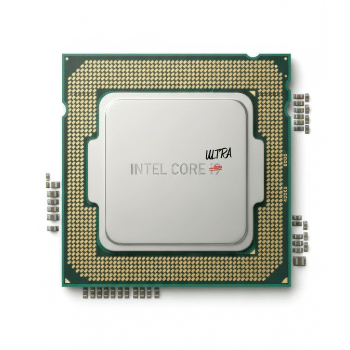
Intel Core Ultra – Why the New Naming, and What Does it Mean?
Posted on January 14, 2026
Intel Core processors have always carried names like i3, i5, or i7, even through successive generations of releases. But with their latest Meteor Lake architecture, the company has ditched this branding to call its new processors Core and Core Ultra.
Is it just a meaningless rebranding attempt, or is there actually a difference? Let’s find out.
The Intel Core Series
Intel started selling its main line of processors as the “Core” series, with subsequent releases distinguished by monickers like Solo, Duo, Quad, and Extreme. But Intel soon realized that this naming scheme was confusing, and switched to a more standardized structure that clearly communicated the relative performance of each processor.
This is when we started getting Core i3, i5, i7, and i9, with the higher number signifying a more premium, powerful microprocessor. This naming convention was continued through multiple generations of its processors, even as the underlying architectures changed and the chips grew more powerful.
In each lineup, i3 denotes the entry-level processor, i5 the mid-range chip, and i7 the high-end CPU. The i9 is the best of the batch, intended as a premium, extremely high-performance option.
Meteor Lake
Intel’s newest CPU architecture, the Meteor Lake, marks a departure from the established naming scheme. The numerical suffixes remain, but the “i” has been dropped, with the processor lines being divided into two main types.
The Core series now focuses on selling older architectures as affordable options, while the Core Ultra denotes the latest line. Both have offerings ranging from 3 to 9, giving us names like Intel Core 3, Core 5, Ultra Core 3, Ultra Core 5, and so on.
Simply put, the standard Core series consists of processors on refreshed architectures (usually Raptor Lake used in the 13th and 14th gen), while the Core Ultra uses the new Meteor Lake based on the highly awaited 18nm process.
Why the Two Types?
Intel has sold a single line of processors with models for multiple price ranges, so why the introduction of a second line now? Mainly, it is due to how the technology has evolved.
The new Meteor Lake is powerful, but also more expensive to produce. And with its emphasis on Neural Processing Units (NPU), it is geared for AI applications that aren’t that widespread yet.
This means there is still a market for chips using the older architectures, and Intel wants to continue selling them. The rebranding is to avoid confusion between the two competing lineups, with the Core and Core Ultra separation.
Intel Arc GPU
Intel has made inroads into the discrete graphics card vertical with its Arc GPUs, though the jury is still out on its success. It is a clear upgrade over its older integrated graphics, of course, which is why Intel has started integrating Arc into the newer Core Ultra chips.
While not as powerful as a discrete card, the latest Core Ultra processors feature Intel Arc cores as the integrated graphics. This is an attempt to tackle AMD Ryzen’s cost-effective chips that package RDNA2-based chiplets for excellent integrated graphics capability.
The Ryzen chips are also known for their power efficiency, which is another thing that Intel’s 15th-gen Core Ultra chips have greatly improved. While the results are still not as cost-efficient as AMD’s offerings, it is a big step forward for the company as it pushes the new 18nm process.
Should You Buy Core or Core Ultra Processors?
Intel Core processors may be based on the older architecture, but they are not outdated. They feature refreshed microarchitectures that improve performance while keeping the price point lower, making them great choices for most applications.
The question of which CPU to buy ultimately boils down to the motherboard. If you want to continue using your current setup, then getting a standard Intel Core processor is a good upgrade. Even for a new system, the refreshed Raptor Lake chips can give good performance at a cost-effective price point.
On the other hand, if you want to invest in a future-proofed setup, then the Core Ultra series is the way to go. These chips have power efficiency, faster clock speeds, and are AI-ready, which makes them great at running any AI-related applications. As the industry moves toward integrating more and more AI processes into workflows, these new chips would become a necessity.
